"Upgrade to full controls"???

I have version 18.1.8.212 Real Player
When I click the video/controls it only shows two options and says I need to upgrade. (see image below) When I do that I'm told that this is the current and latest version. I have upgraded several times - same version - same issue
> How do I get the "full controls"? (see image below)
> Isn't there a 64 bit version of Real Player?
Running 64 bit Windows 10.
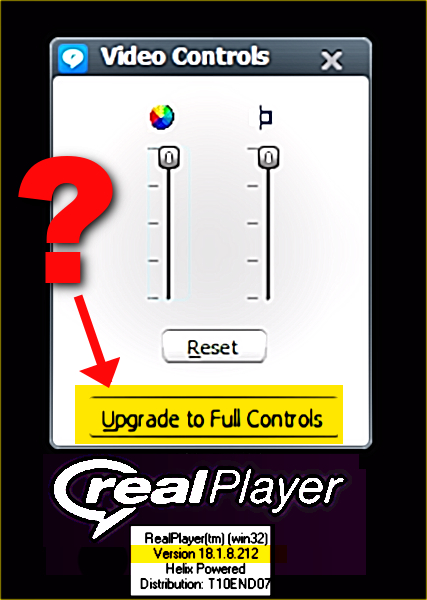
-
After this latest re-installation, for the first time ever I got a note to download an addition that added the other video controls
I've experimented with different videos, movies that I made and that were downloads - none of the controls had any effect at all
Aren't they supposed to do something?
Nothing I can find in the help or manuals says anything
0 -

Video Controls (RealPlayer > Tools > Video Controls) are available for RealPlayer Plus users and RealTimes Premium and Unlimited subscribers, and allow you to adjust a clip's brightness, contrast, color saturation, and sharpness.
NOTE: Video Controls adjust video playback only for RealVideo files (RV, RM, RAM). Adjusting Video Controls for MPEG, AVI, MOV, FLV, and WMV files will have no effect.
0
Il post è chiuso ai commenti.
Commenti
2 commenti