Message: Real Player needs download - But after update same message appear

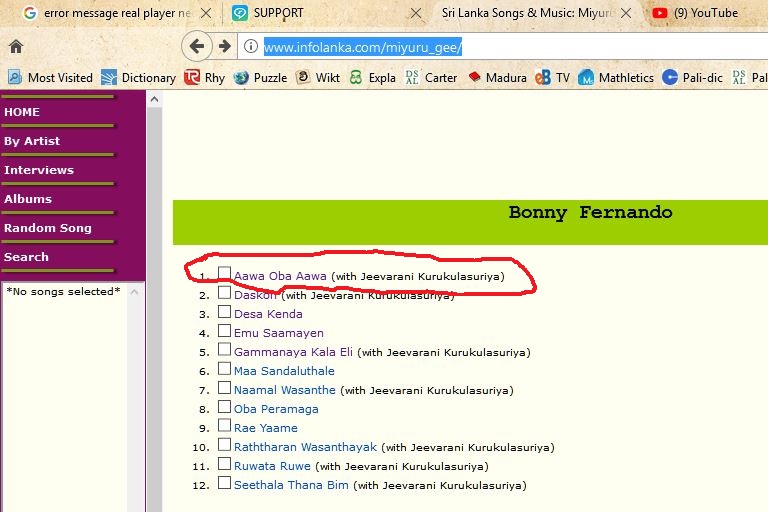
When trying to open clips (.ram) most of them open correctly. But when trying to open some of them, it gives a message “Real Player needs to download new software to play this clip” (refer to the screenshot 1). When I select the “OK” button, it gives the message “The same or a newer version of Real Player is already installed. Click OK to over install with this version of Real Player”(refer to the screenshot 2). If I press cancel still the clip will not open. If I press “OK” it will start installing and after opening it will give the message “RealPlayer must install additional components to complete activation” (refer to the screenshot 3). When I press install and open the .ram file that failed to open, still it will give the first message again. If I continue, three-step cycle will go on and on. I bought the RealPlayer last update also hoping I will not have such issues. However, VLC media player open all ram songs on the same site where RealPlayer can open most but fail to open some. The site address is http://www.infolanka.com/miyuru_gee/. I have marked one of the several songs that give this problem (refer to the screenshot 4).


-
Commento ufficiale

We have a known issue regarding .ram files. I'll let you know when the issue is resolved.
Il post è chiuso ai commenti.
Commenti
1 commento