RealPlayer - File Meta Information - Filename vs. Caption Field

Does anyone know if there's a way to have RealPlayer write the "Caption" text value as the actual filename for any given media file?
One issue that is persistent when using RealPlayer for files downloaded via RealDownloader is that only Real see the titles for media files that I have given them. But if I scan said files in other programs (for example Plex Media Server) Plex will only see the original filename. The root cause here is that when you think you are changing the titles for clips in Real you are actually changing the "Caption" field of the file. And this caption field is only accessible it seems within RealPlayer. When I attempt to view meta data in other programs or view file info in file explorer there is no caption field. And when viewing files with columns to show date modified, filename, etc, there is no option to show the "Caption" field. So it truly seems to be specific to RealPlayer.
It would be great if Real could change the filename of the media files to match the caption value.
Or at the very least, if anyone knows where Real stores the caption and other Real-specific metadata for media files please let me know.
-

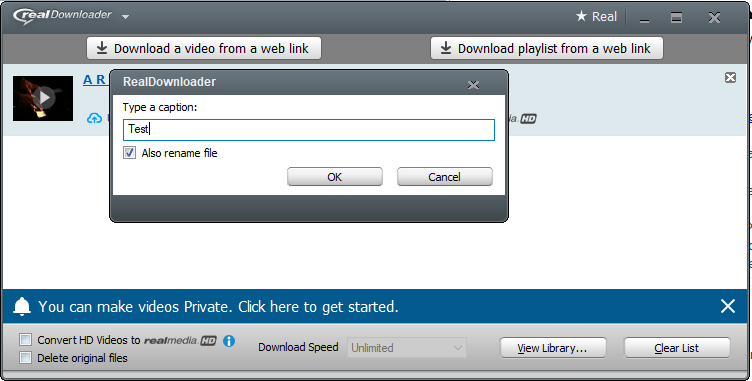
When you download a video, you will have the option to change the title name. At this time you will also get an option to "Rename file name" with a check box. Please ensure it is checked.
See screenshot below.
 0
0
Il post è chiuso ai commenti.
Commenti
1 commento