failed to convert after downloading

After downloading, there is an error message: FAILED TO CONVERT and the video cannot be found. The problem is I NEVER opt to convert when I initiate the downloading.
Uninstalling and reinstalling does not help.
-
공식 댓글

Hello,
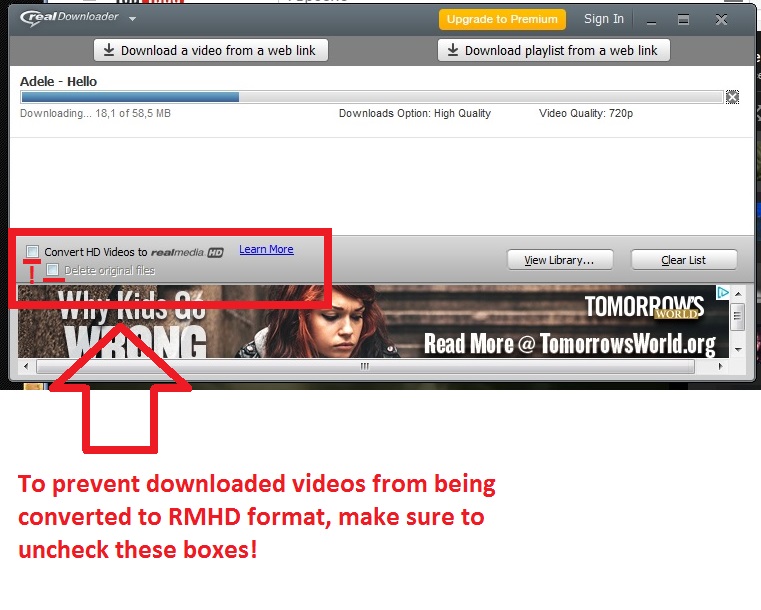
It looks like you selected the ''convert HD Videos to RealMedia HD'' option during the download and that's why the downloaded files are saved in RMHD format. To prevent videos from converting to RMHD you just need to uncheck this option box in the RealDownloader window. See the screenshot:
-
I did uncheck these boxes to convert to RMHD format and it still did not work!!!!
0 -

Please follow the instructions from this link.
https://customer.real.com/hc/en-us/articles/204040013-Uninstall-and-reinstall-RealPlayer-on-Windows
0
댓글을 남기려면 로그인하세요.
댓글
댓글 3개