I can not download and youtube videos since I updated to realplayer version 20.7.309

No pop up box appears after you hit the download button. I am using windows 10, microsoft Edge version 96.01054.57
-

What message do you see when you download videos?
Can you please let us know the following information:
1. Please go to C:\Program Files (x86)\Real\RealPlayer.
2. Right click on videodl and click Properties and then the Details tab.Please provide us with the version number you see there.
Could you also provide us with a sample URL that you are unable to download?
0 -
I do not see any messages after I hit the download button.
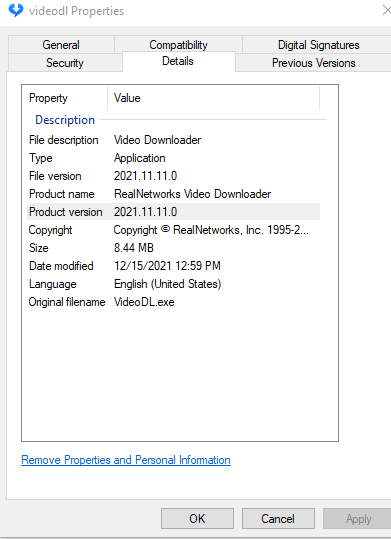
I am unable to download any you tube video.
0 -
You do seem to have the correct Downloader version. Could you also provide us with a sample URL that you are unable to download? We can test it in-house.
Since you are not able to download videos, most likely your Firewall program has blocked the Downloader to perform correctly. In addition, usually the messages that show up after hitting the Download button are as follows (listing a few):
- Unable to download video
- No videos found
Since you are not seeing any such messages, there is a possibility your RealPlayer is not installed properly. Please reinstall RealPlayer from www.real.com.
0 -
Thanks Guys,
I went to www.real.com and reinstalled RealPlayer. Problem solved. I'm able to download youtube videos again.
Thanks again.
0
Post ist für Kommentare geschlossen.
Kommentare
4 Kommentare