please advice

Hello
I updated free real player latest update on 24/06
and since that last update I lost the ability to choose file size/quality of the video when i download (from youtube for example)
before the last update it was easy to choose size and quality file,
as I could choose the size and quality when i download in the little bar
but now this option disappeared
could anyone please advice how can I choose size and quality?
I prefer small size file (low definition? as I have limited data
-
Official comment

To download in lower quality in the latest version of RealDownloader, choose the Fastest Download option:

-
Hello
Many thanks for your reply
This is the option I used in the past,but since I last updated it,
I no longer can find this option
0 -

Hello,
Please provide the following information:
- What version of RealPlayer is installed on your PC? To learn how to check the version, see the attached screen shots ''1 and 2 version.jpg''.
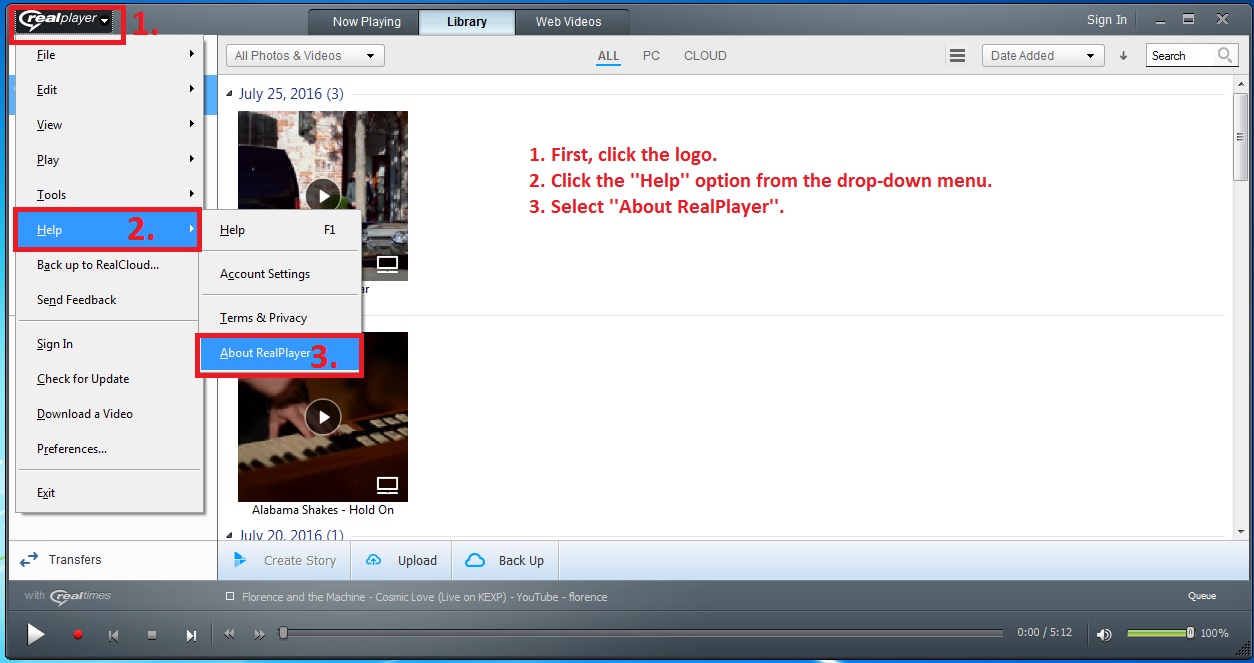
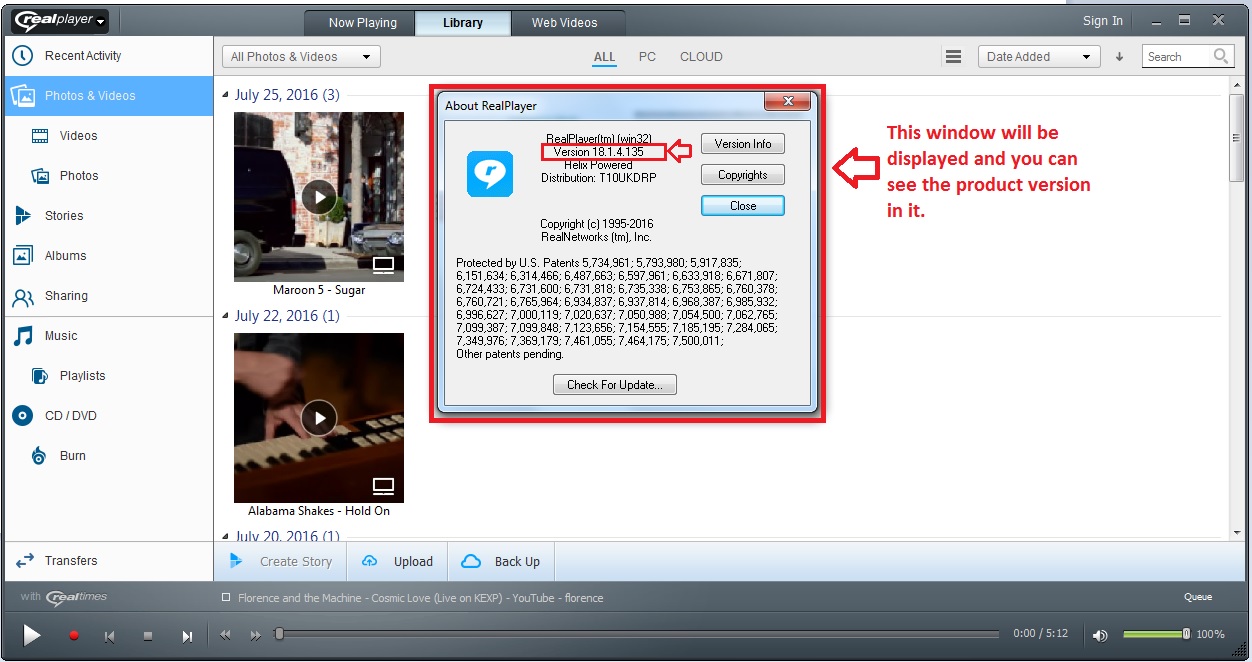
- Please send us screen shots showing the steps you follow and the results (what option do you see in the ''Download'' window). To learn how to take a screen shot, please follow the steps from the article below: https://customer.real.com/hc/en-us/articles/204039473
0 - What version of RealPlayer is installed on your PC? To learn how to check the version, see the attached screen shots ''1 and 2 version.jpg''.
Post is closed for comments.
Comments
3 comments