NO Puedo instalar correctamente Real Player

NO Puedo instalar correctamente Real Player
Hace unos días, dejo de operar el Real Dowloader, y como no pude echarlo a andar, lo desinstale y ahora No puedo volver a instalar, manda este mensaje de error:
Windows no puede encontrar el archivo "C: / Archivos de programa (x86) /Real/RealPlayer/realplay.exe"
Ayuda por favor.
-

Please follow the instructions from the below link to resolve your issue.
Please note: If you have any playlists created, you will have to recreate them.
0 -
Ya realizó la "desinstalación limpia" y borró todas las carpetas y archivos, y volvió a instalar el programa y aún NO funciona sigue enviando la siguiente ventana con un mensaje de error ...
 0
0 -
Please follow these instructions.
1. Go to Control Panel and uninstall RealPlayer.
2. Go to https://support.microsoft.com/en-us/help/17588/fix-problems-that-block-programs-from-being-installed-or-removed and download and run the installer.
3. Once the Fixit program opens, click Next.
4. Select Uninstalling.
5. You will see a list of programs installed. Scroll down and look for "Video Downloader". Select that and click Next and click on "Yes, try uninstall". This will remove the application.
6. Run the Fixit program once again. (You will need to run this program a few times)
7. Follow steps 4 and remove the following programs (in the said order)
a. RealUpdgrade 1.1
b. RealDownloader
c. RealDownloader
Note: You have to run Fixit each time you want to uninstall these applications.
8. Delete Real & RealNetworks folders from
a. C:\Program Files (x86)
b. C:\Programdata
c. C:\Users\<your username>\AppData\Roaming
d. C:\Users\<your username>\AppData\LocalOnce you have uninstalled all of them and deleted the folders, restart your computer. Download RealPlayer from www.real.com. Ideally, this should install properly.
Please do let us know how it goes.
Please note: If you have any playlists created, you will have to recreate them.
0 -
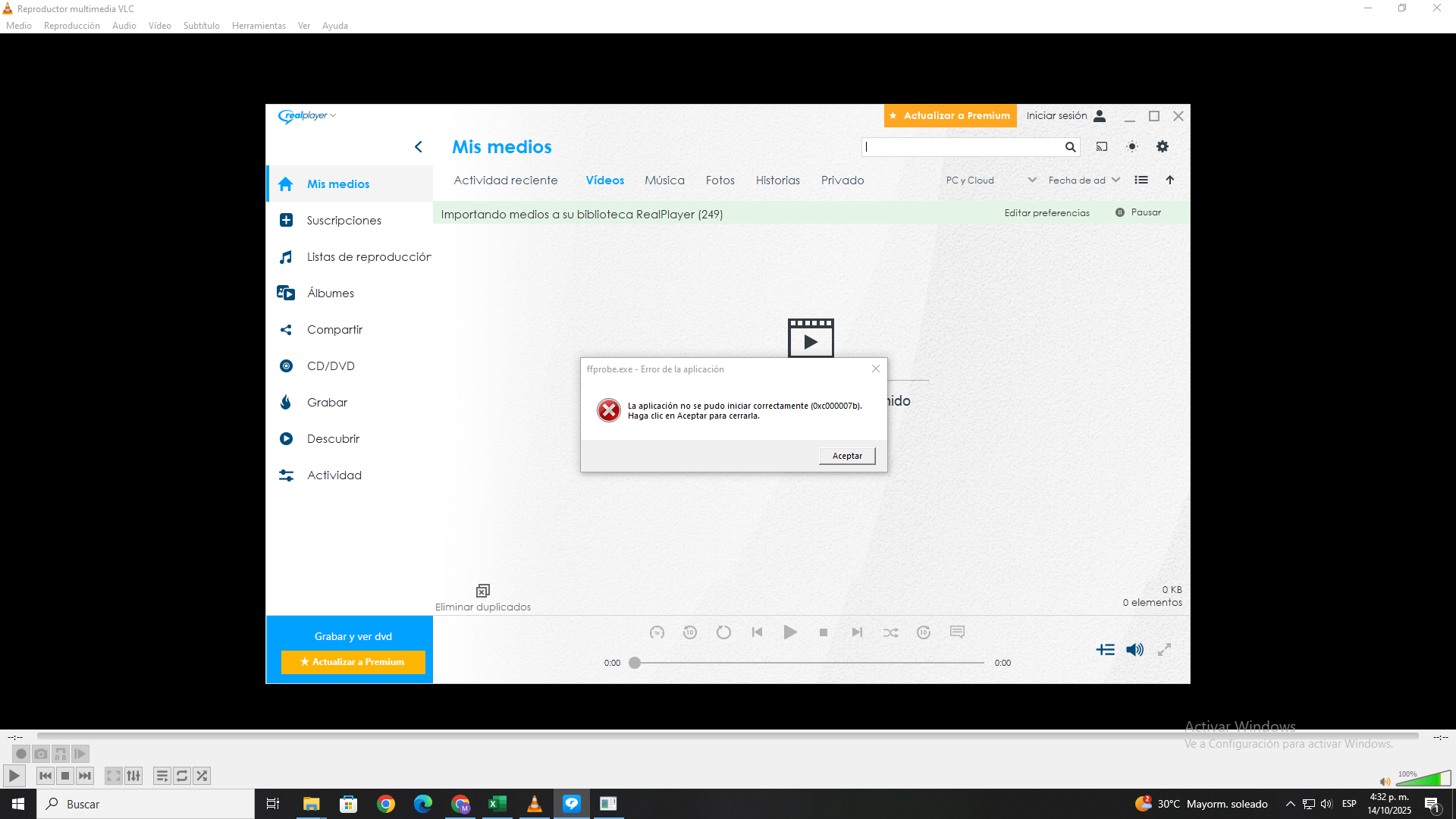
 Señores Realplayer les escribo para hacerles una consulta, tuve problemas con mi anterior PC y en el nuevo estuve intentando descargar Real Player, me da un mensaje donde me dice que se instaló correctamente, pero al intentar abrirlo me da un error.Espero que me puedan ayudar.
 0
0
Accedi per aggiungere un commento.
Commenti
4 commenti