rpclouddownloader2maindialog pop up window on boot up.

rpclouddownloader2maindialog. In the last few days this pop up window started showing up when my windows 7 PC boots up. I uninstalled and did a clean install of realplayer cloud version 17, and it still pops up. How can I get rid of this pop up window? Annoying, as I didn't do anything, just started showing up on its own.
-

To resolve this issue, follow the below solutions:
Solution 1: Deleting temporary Windows files and folders:
https://customer.real.com/hc/en-us/articles/204039363
Solution 2: Uninstall RealPlayer by following the article:
https://customer.real.com/hc/en-us/articles/204040013/#uninstall
Solution 3: Run Microsoft's Fixit program:
Go to http://support.microsoft.com/mats/Program_Install_and_Uninstall and run the Fixit program. This tool is often helpful in cleaning up previous installations and fixing installer issues. Remove entries related to RealPlayer and RealDownloader.
Solution 4: To download and install a new copy of the application, visit http://www.real.com/, click the Download RealPlayer for Free button, and follow the prompts to install the current version.0 -
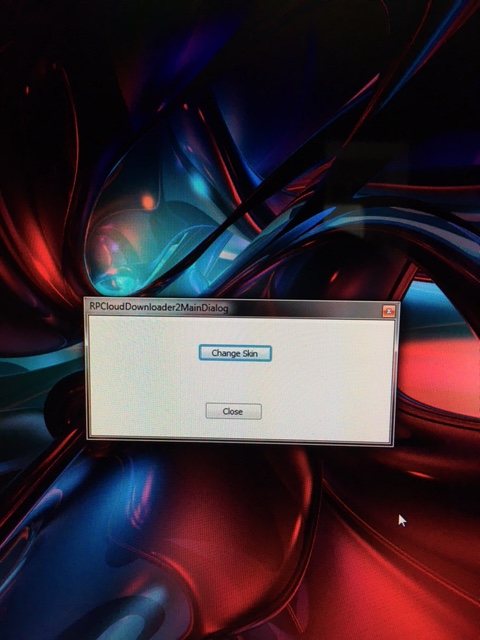
Did all that you suggested and it still pops up after boot up when my desktop loads up.0 -

First, Go to http://support.microsoft.com/mats/Program_Install_and_Uninstall
and run the Fix it program and remove all Real and Real downloader content from the list.
Then, reboot the computer and Install the RealTimes from the below link:
http://cache-download.real.com/free/windows/installer/player/rt1/T10ENFIB/RealTimes-RealPlayer.exe
Let us know the progress.0
Please sign in to leave a comment.
Comments
3 comments