unable to change opassword for private mode

Folks anyone out there know how to change the password for private mode when I don't remember the old password.
In other words a password reset work around?
0
-
Official comment

You can reset your PIN for your Private Mode by following these steps:
1. Open RealPlayer
2. Click Private
3. Click Enter Pin
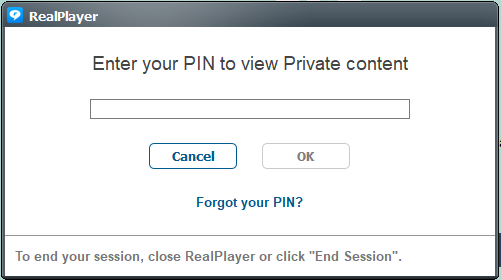
4. Click on "Forgot your PIN"
You can set your new PIN but you will have to enter the email address and the password of the account you originally setup the PIN.
Screenshot below:
Post is closed for comments.
Comments
1 comment