Real Downlader

Sometimes when I try to download a video RealDownloader finds the video, I press download, but nothing seems to be happening.
-

Can you please let us know the following information:
1. Please go to C:\Program Files (x86)\Real\RealPlayer.
2. Right click on videodl and click Properties and then the Details tab.Please provide us with the version number you see there.
Could you also provide us with a sample URL that you are trying to download?
0 -
Many thanks for your help.
The File Version of my RealDownloader is 2020.5.29.0
and the Product version is 2020.05.29
Here are two links to videos that I am trying to download.
s://www.youtube.com/watch?v=GhFH8LY7Ltg&list=FLju4vmADgz-LTNu-qNiVK2A&index=13&t=0s
https://www.facebook.com/162364253783283/videos/2604651573125780
0 -
We were also not able to download the YouTube video if we used the exact link. However, going to the actual URL of the video https://www.youtube.com/watch?v=GhFH8LY7Ltg we were able to download it.
Can you try clicking this link to go to the direct video and try to download and let us know the outcome?
https://www.youtube.com/watch?v=GhFH8LY7Ltg
Like wise, we were able to download the video from Facebook.
Please note: We used Chrome as the browser. What browser are you using?
-1 -
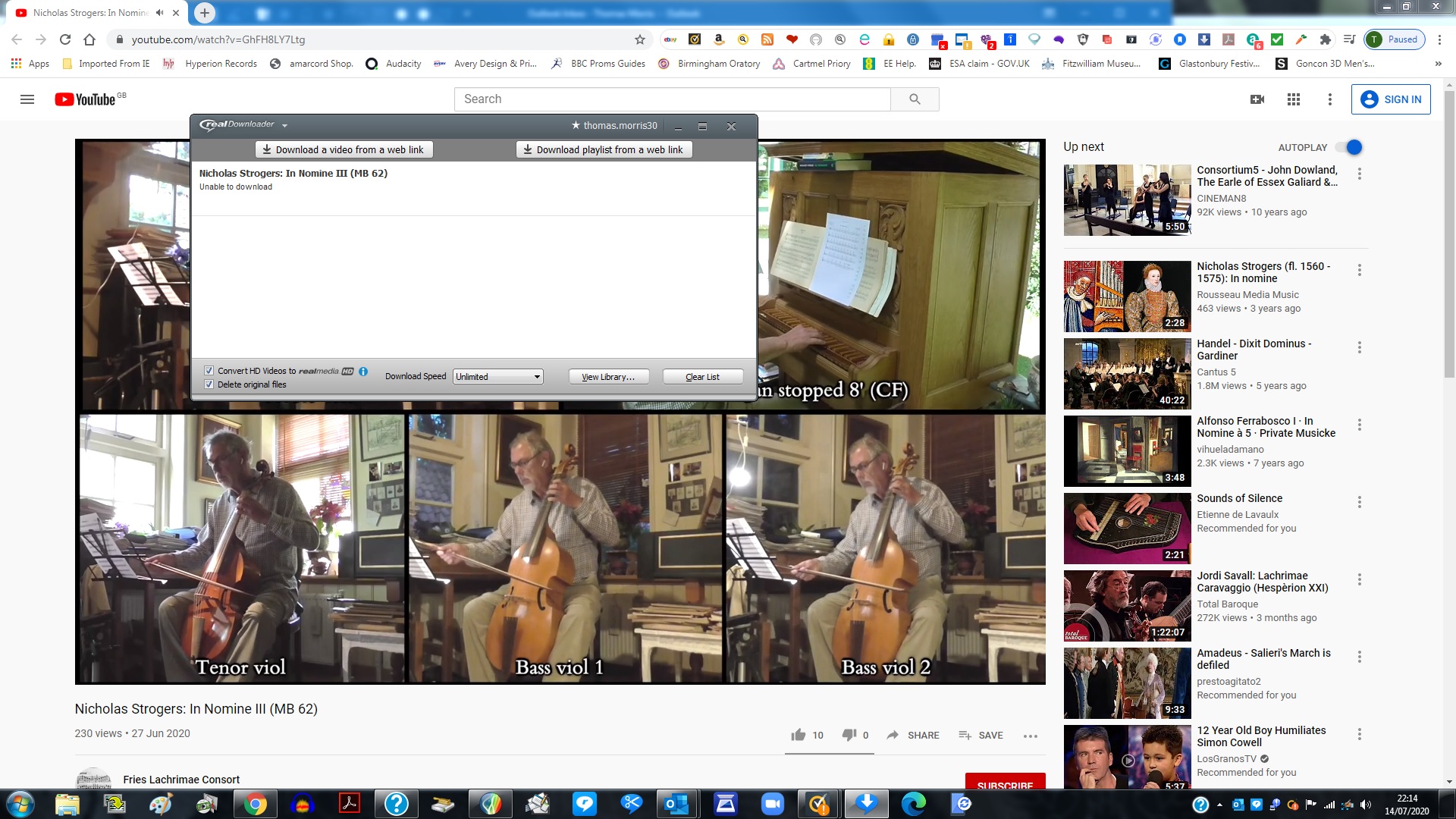
I have tried downloading the videos from your links but still cannot download them. I attach a screenshot of the Error message I get each time.
I am using Google Chrome.
 0
0 -
We sent you an email. We'll take it from there.
0
Post is closed for comments.
Comments
5 comments